



ggfx is a (currently experimantal) package that allows the use of various filters and shaders on ggplot2 layers.
You can install ggfx from CRAN in the usual manner
(install.packages('ggfx')) or you can grab the development
version directly from github using the devtools package:
# install.packages('devtools')
devtools::install_github('thomasp85/ggfx')The basic API of ggfx is to provide a range of with_*()
modifier functions instead of special versions of common geoms. This
means that ggfx will work with any geom from ggplot2 and the extension
packages (I think…). An example showing some of the different
functionalities are given below. Note that the output is produced with
regular geoms.
library(ggplot2)
library(ggfx)
ggplot() +
  as_reference(
    geom_polygon(aes(c(0, 1, 1), c(0, 0, 1)), colour = NA, fill = 'magenta'),
    id = "displace_map"
  ) +
  with_displacement(
    geom_text(aes(0.5, 0.5, label = 'ggfx-ggfx'), size = 25, fontface = 'bold'),
    x_map = ch_red("displace_map"),
    y_map = ch_blue("displace_map"),
    x_scale = unit(0.025, 'npc'),
    id = "text"
  ) +
  with_blend(
    geom_density_2d_filled(aes(rnorm(1e4, 0.5, 0.2), rnorm(1e4, 0.5, 0.2)),
                           show.legend = FALSE),
    bg_layer = "text",
    blend_type = "in",
    id = "blended"
  ) +
  with_shadow("blended", sigma = 3) +
  coord_cartesian(xlim = c(0, 1), ylim = c(0, 1), clip = 'off') +
  labs(x = NULL, y = NULL)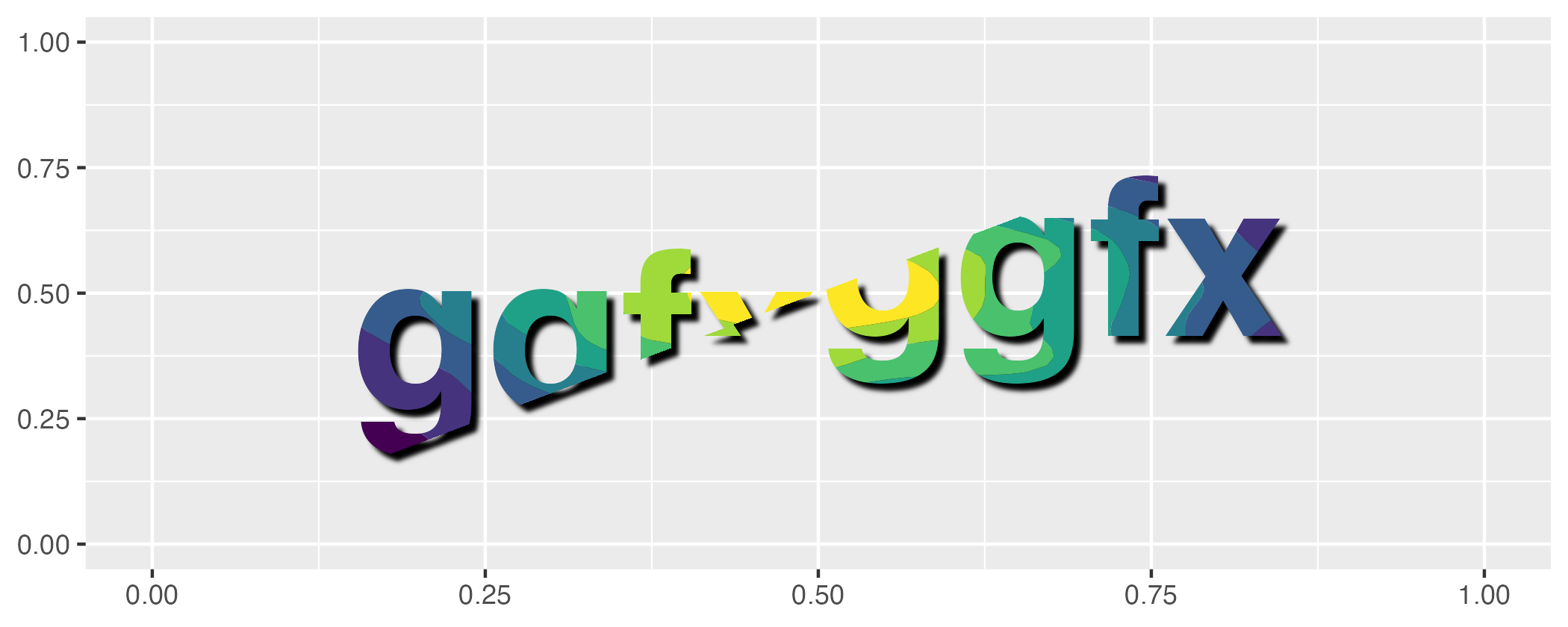
Please note that the ggfx project is released with a Contributor Code of Conduct. By contributing to this project, you agree to abide by its terms.